The thing nobody tells brands and agencies before their first 3D project
Most people only learn how to brief a CGI studio properly after their first expensive revision cycle. The moment that exposes a bad brief isn’t the final delivery — it’s the first question the studio sends back.
“Do you have a technical drawing?” Silence. “What’s the surface finish on the cap — gloss, satin, or matte?” A pause. Then: “It’s just… shiny?” That exchange is the beginning of a long and expensive revision cycle that nobody wanted.
Most people only learn how to brief a CGI studio properly after their first expensive revision cycle.
I’ve been on the studio side of that conversation more times than I can count. And while it’s tempting to blame the brief, the real problem is simpler: most brands and agencies write a CGI brief the same way they’d brief a photographer. It doesn’t translate. Because CGI isn’t photography. It’s construction.

What a CGI studio builds from your brief — and why that changes everything
A photographer arrives on set, looks at your product, and starts shooting. The product is right there. What you see is what gets captured.
A CGI studio starts with nothing. We build your product geometry by geometry — surfaces, materials, lighting, environment. Every finish that catches light, every subtle gradient on a label, every shadow cast by a cap edge. If we don’t know what something should look like, we invent it. And invented details are exactly the ones that come back in your revision notes. Look at something like our CG photography of headphones — every surface you see was built, not photographed.
CGI isn’t photography. It’s construction.
This is why a 3D product visualisation brief needs to work more like a technical handoff than a standard creative brief. The creative interpretation comes from us. The specification has to come from you.
Seven things missing from most CGI studio briefs
1. Product files your CGI studio can actually build from
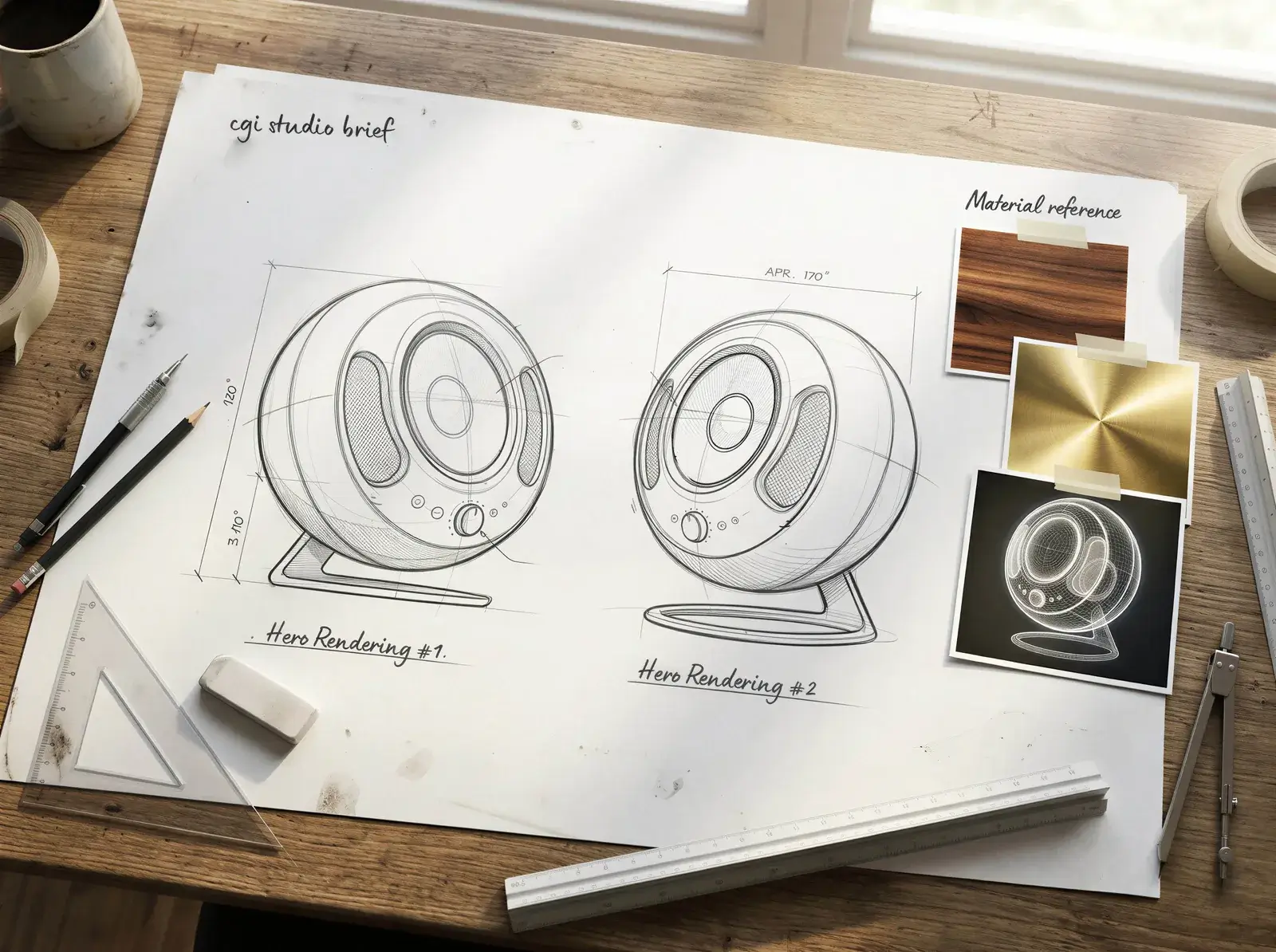
Photos are references. They’re not enough to build from. What a studio needs is either a CAD file — STEP, OBJ, IGES, whatever your manufacturer provides — or dimensioned drawings with exact measurements. If neither exists, high-resolution photos from multiple angles can work, but expect the timeline and cost to reflect the modeling effort that requires.
If your product is still in development without a physical prototype, that’s actually fine. CGI is particularly powerful at that stage — see how that works with something like a pro CGI rendering of an iPhone. Just share whatever technical specs and engineering files you have.
2. Material references: the most skipped part of any CGI brief
“Brushed metal” describes approximately a hundred different finishes. So does “matte black” or “frosted glass.” Language is unreliable for surfaces. Send a reference image where you can see the material you want — not necessarily on your product, but on anything. A shot from a magazine, a competitor’s product, a swatch from a supplier. The more visual your reference, the less room there is for interpretation. Interpretation is where revision cycles are born. Take something like a cognac bottle in CGI — the difference between amber glass that reads as cheap and amber glass that reads as premium is entirely in the material spec. That distinction lives in the brief. And if you really want to get it right: send us the physical product sample. Nothing beats holding the actual thing.
3. Camera angles, not just a mood board
A mood board tells us the aesthetic. Camera angles tell us what the product needs to communicate. Those are different things. Front, three-quarter, overhead, macro detail — decide before the project starts. Changing camera angles after a scene has been lit and textured is not a small adjustment. It’s often a rebuild. Agree on a shot list upfront, the same way you would with a photographer.
4. Output specs: what your CGI studio needs to render correctly
“High res” is not a specification. Resolution, aspect ratio, colour profile, file format — each of these affects the render pipeline differently. A render destined for a billboard has different requirements than one for an Instagram Story or an Amazon product listing. Tell the studio where the images will live, and let them translate that into technical settings.
5. Context on how the images will actually be used
Will these be the hero shots on a brand’s e-commerce site? Campaign assets for a pitch? Trade show graphics? Usage context changes composition, tone, and the level of environmental detail required. It also affects what you need delivered: retouched finals, layered source files, or both.
6. Timeline, deadline & revisions
A deadline without a timeline is just pressure. Tell the studio when you need the final files, but also when you can realistically review and give feedback at each stage. CGI projects have natural checkpoints — model approval, lighting preview, final render — and each one needs a window for client review. If those windows aren’t planned, they become bottlenecks. At Lauktien Studio, two rounds of corrections are part of every project. If the brief is solid and the references are good, two rounds is usually more than enough.
7. What does success actually look like for you?
This is the question we always ask at the end of a briefing: What needs to be achieved by the end for you to say this project was an absolute success? It sounds simple. It rarely gets a simple answer — but whatever the answer, it changes how we work. Knowing the success criteria upfront means we can straight work towards success from the start.
What needs to be achieved by the end for you to say this project was an absolute success?

The model approval trap that derails most CGI projects
There’s a point in every CGI project where the studio sends a 3D model for approval before moving into lighting and rendering. Most clients click through it in about thirty seconds.
That’s a mistake.
The model approval stage is your last real checkpoint to catch proportion issues, geometry errors, and label placement problems. Once the scene is lit and fully textured, changes at that level reverberate through everything downstream. Review the model properly — examine it from multiple angles, zoom into the details, compare it against your technical drawings or physical sample. Fifteen minutes of focused attention there saves hours of expensive rework later.
No one ever regrets being thorough at the model stage. Everyone regrets skimming it.
Fifteen minutes of focused attention there saves hours of expensive rework later

Why a poor brief costs more than people realise
When you brief a CGI studio without the right information, you’re not just slowing the project down — you’re paying twice for work that should have been right the first time. According to research by the BetterBriefs Project and the IPA, 80% of marketers believe they write clear, complete briefs — while only 10% of agencies agree. The same study found that roughly a third of marketing budgets go to waste due to poor briefing and misdirected work.
In CGI, the consequences are particularly visible. A vague brief doesn’t just produce work that misses the mark — it produces work that has to be rebuilt. And rebuilding a textured, lit 3D scene isn’t like rewriting a paragraph.
The fix is straightforward. A complete CGI studio brief — product files, material references, confirmed shot list, output specs, and a proper model review — isn’t a complicated document. Once you’ve written one good one, the next takes twenty minutes. And the revision cycle shrinks to almost nothing.
A vague brief doesn’t just produce work that misses the mark — it produces work that has to be rebuilt.
For context on where this is all heading: according to Precedence Research, the global 3D rendering market is projected to grow from $4.47 billion in 2024 to $26.65 billion by 2034. More brands are using CGI than ever. The studios that will serve them best aren’t the ones with the biggest render farms — they’re the ones that can translate a well-structured brief into something that looks unmistakably real. The brief is the handshake that makes everything else possible.
Ready to brief a CGI studio the right way?
If you’re planning a CGI project — a product launch, a campaign visual, something you need to visualize before the product even exists — we’d rather talk to you before the brief is written than after the first revision round. Tell us where you are in the process. We’ll ask the questions that make it work.
Take a look at some of the work we’ve done in our portfolio, and reach out whenever you’re ready. The earlier, the better.
Lauktien Studio is a CGI and creative studio specialising in 3D product visualisation, 360° product animation, and creative retouching for brands and agencies.

Rüdiger Lauktien
Married to his wonderful wife, father of two. Drummer, dreamer, pipe-smoker, photographer, adventurer and a man of faith. More than 15 years of experience in the creative industry. Awarded Digital Artist and Art Director.